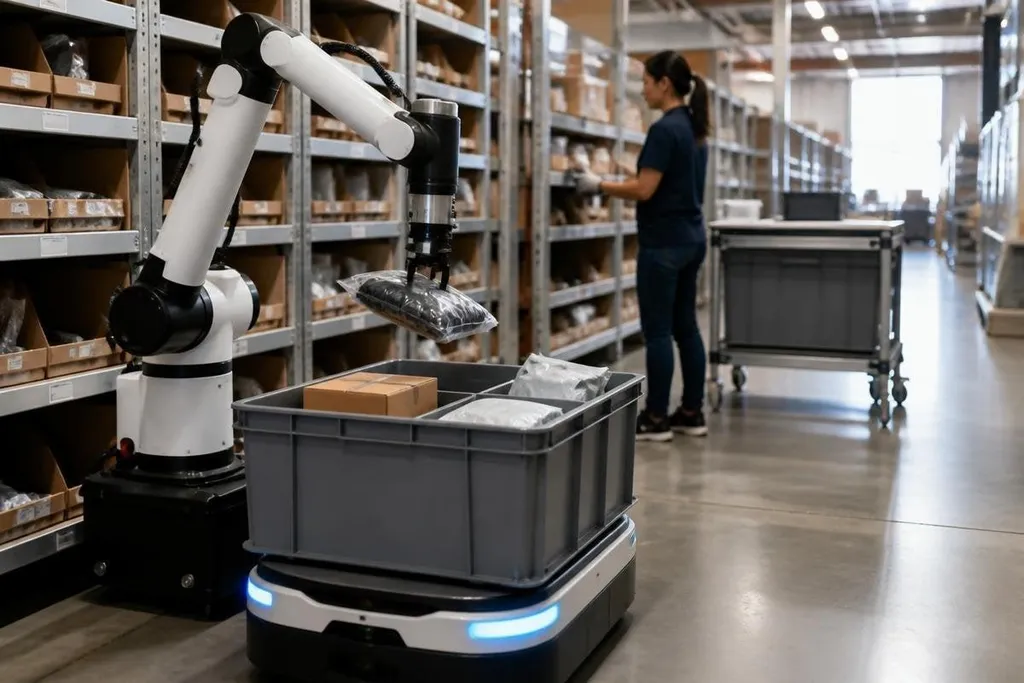
A warehouse robot can move a tote, scan a shelf, or bring an order to a worker. The harder test is doing that work safely when aisles, packages, lighting, and demand keep changing.
Quick read
- Better robot hands may let one system handle more package shapes.
- Mobile robots can cut walking time, but warehouse layout still sets the limit.
- Software matters as much as the hardware, and its results need measured proof.
Robots that handle more package types
Many e-commerce tasks are easy when every item has the same size and shape. A robot can pick a standard box with a vacuum tool or a fixed gripper. Loose clothing, soft bags, thin packets, and damaged cartons create a harder job because the robot must find a safe grip before it lifts.
The area to watch is machine vision paired with better grippers. Cameras can locate an item, while force sensors can tell the robot whether it has a firm hold. That combination could reduce the need to sort goods into robot-friendly groups before picking starts.
The proof has to come from the full task. A short video of one successful pick says little about dropped items, slow cycles, damaged goods, or recovery after a failed grip. Buyers need the item mix, pick rate, error rate, and test conditions beside the demo.
Mobile robots that work around people
Autonomous mobile robots move shelves, bins, or orders through a warehouse. They use cameras, LiDAR, or other sensors to build a map and avoid people and fixed objects. The benefit is easy to measure: fewer steps for workers who would otherwise walk between storage and packing areas.
That benefit depends on traffic rules and floor space. A robot that stops each time a person crosses its path may keep a safe distance but slow the whole process. A system that moves faster may need clearer routes, marked crossings, or changes to how workers load and unload it.
The useful measure is the complete order cycle. A lower walking distance matters when it also keeps picking, handoff, charging, and packing on schedule. A fast robot that waits at a lift or blocks a packing station has moved the delay somewhere else.
Software that coordinates the whole order
A single robot can follow a route. An e-commerce site needs software that assigns work, sends orders to the right station, tracks inventory, and reacts when a robot stops. This layer connects warehouse management software with robot control systems, so one change in the building does not require manual edits across every machine.
That connection may be the most useful area to watch because hardware gains can disappear when systems fail to share status. The test is simple to state: can an operator see which order is delayed, why it stopped, and what action will clear it?
That check needs a record with the robot, site, test date, and measured result. Robotics reporting at Robot24.com can place those details beside a company’s claim, so you can tell a live e-commerce trial from a lab demonstration.
Software also needs a safe fallback. If a camera loses sight of a package or a robot cannot find its next location, the system should stop in a known state and give a worker a clear way to recover the task.
What still needs proof
The word “breakthrough” gets used for a new gripper, a new vision model, or a robot that completes one difficult pick. For an e-commerce operator, the stronger test is repeated work under normal site conditions.
Several details decide whether a system earns a place in a warehouse:
- Item range: list the smallest, softest, heaviest, and most reflective products in the test.
- Human work: show which tasks still need a worker and how long each handoff takes.
- Failure recovery: record what happens after a missed pick, blocked route, or lost barcode.
- System links: name the warehouse software, robot interface, and data each system sends.
- Site fit: check floor width, shelf height, charging space, network coverage, and safety zones.
- Cost basis: include hardware, setup, service, spare parts, training, and site changes.
A buying checklist
Before you call a system ready for your warehouse, ask:
- Can it handle your real product range?
- What happens after a failed pick?
- How many orders or totes does it process per hour under stated conditions?
- How much worker time remains in each order?
- What data can your team inspect without the vendor?
- Which costs continue after installation?
I'd put better picking and recovery software ahead of a faster base robot. A warehouse gains little from speed when the system still needs a person to fix every unusual package. The next useful proof will be a full shift of mixed orders, with failure rates and worker time shown beside the headline number.